Calofy AI guide
How Calofy AI works
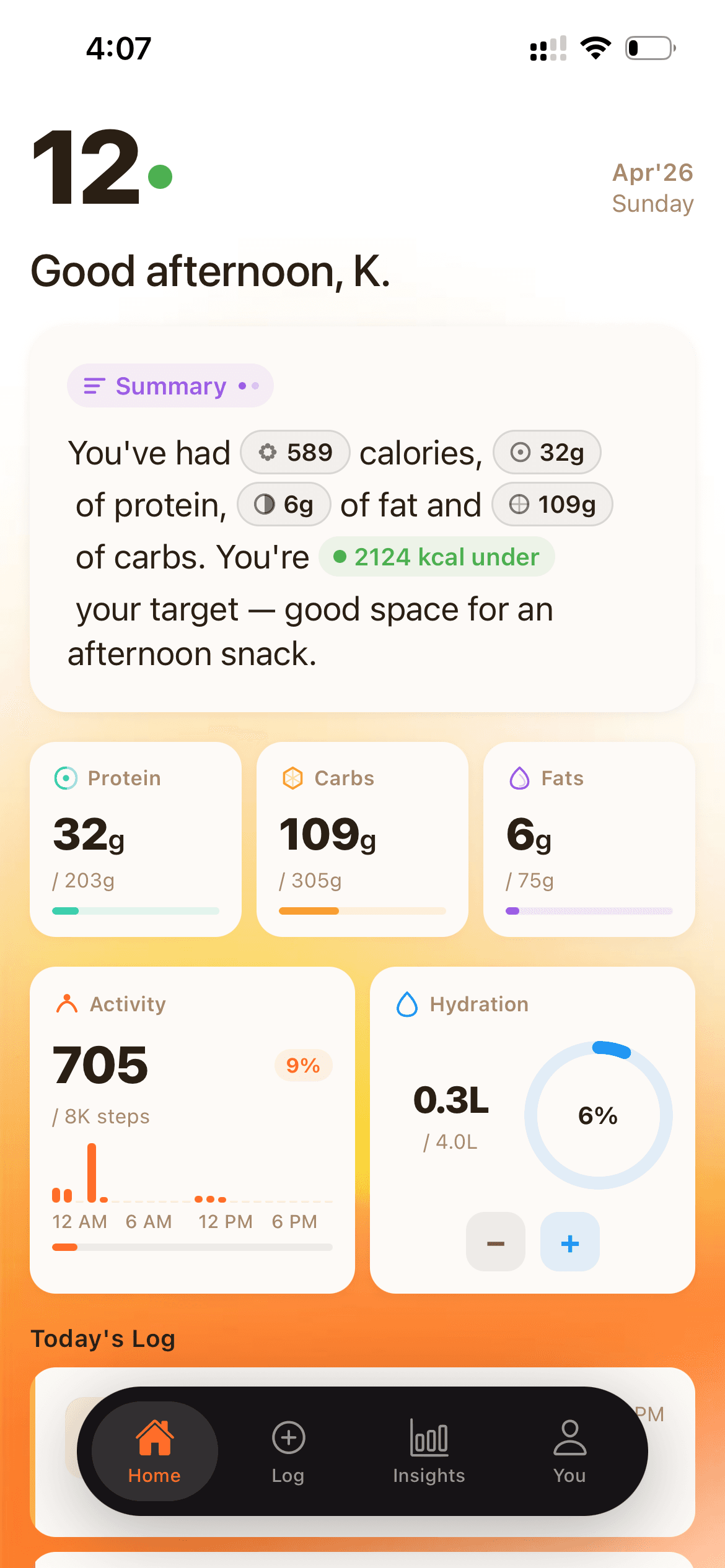
Calofy AI is an iPhone calorie and macro tracker that turns photo, voice, or text meal logs into calorie, macro, hydration, activity, and weekly trend insights.
How does Calofy AI work?
Calofy AI works by turning a photo, voice note, or text description into a practical meal log. The app estimates calories, protein, carbs, fat, fiber, sodium, and other nutrition details, then shows the result against a personalized daily calorie and macro budget. Users can add hydration and Apple Health activity context to understand daily and weekly progress.
Step-by-step process
Step 1
Input the meal
Calofy AI accepts photo, voice, and text logs so users can choose the fastest input for the moment: a restaurant photo, a quick voice note after cooking, or a text description for a snack.
Step 2
Estimate nutrition
The app estimates calories, protein, carbs, fat, fiber, sodium, and other micronutrients. The goal is practical daily consistency, not lab-grade precision.
Step 3
Compare against a daily budget
Calofy AI maps each log to a personalized calorie and macro budget for weight loss, maintenance, or muscle gain.
Step 4
Connect activity context
Apple Health support lets users view steps and active calories alongside nutrition, hydration, and meal history.
What does Calofy AI track?
| Nutrition | Calories, protein, carbs, fat, fiber, sodium, and micros |
|---|---|
| Goals | Daily calorie and macro budget for losing, maintaining, or gaining weight |
| Activity | Apple Health steps, distance, and active calories |
| Insights | Weekly calorie, macro, hydration, weight, steps, and activity trends |
Who is Calofy AI best for?
Calofy AI is best for US iPhone users who want calorie and macro accountability without the friction of manual database search. It is especially useful for restaurant meals, home-cooked food, leftovers, mixed plates, bowls, salads, and snacks.
It is not built for users who need gram-precise lab-style nutrition measurement, such as competitive bodybuilders preparing for a show.